OpenWrt 安装 WireGuard
1. 前言
当出门在外需要访问家里的服务时,总是需要一种异地组网方案。现行的异地组网方案大致有 ZeroTier 、 OpenVPN 和 WireGuard 三种,其中各有优劣。 OpenVPN 的优势是使用 TCP 连接,不容易像剩下两种方案似的有 UDP 连接不稳定的情况,缺点是速度慢。而 WireGuard 正好和 OpenVPN 相反,速度最快,但只能使用 UDP 直连。 ZeroTier 介于两种之间(它在连接非常不稳定时会使用 TCP 并走中转服务器)。
因此本文在 OpenWrt 上搭建一个 WireGuard 服务器,其中需要准备的条件如下:
- OpenWrt 系统已安装。
- 有公网 IPv6 。
- 公网 IPv6 高位 UDP 端口可以稳定连接。
- 私网网段 10.8.0.0/24 没有被使用,将会被作为 WireGuard 私网网段。
2. 安装必要的软件包
安装以下软件:
- wireguard-tools
- luci-app-wireguard
- luci-proto-wireguard
- qrencode
可以去 System -> Software 界面安装,或者使用命令行安装。安装以后记得重启。
3. 配置 WireGuard 网卡
在 Network -> Interfaces 界面,点击 Add new Interface ,添加类型为 WireGuard 的网卡:
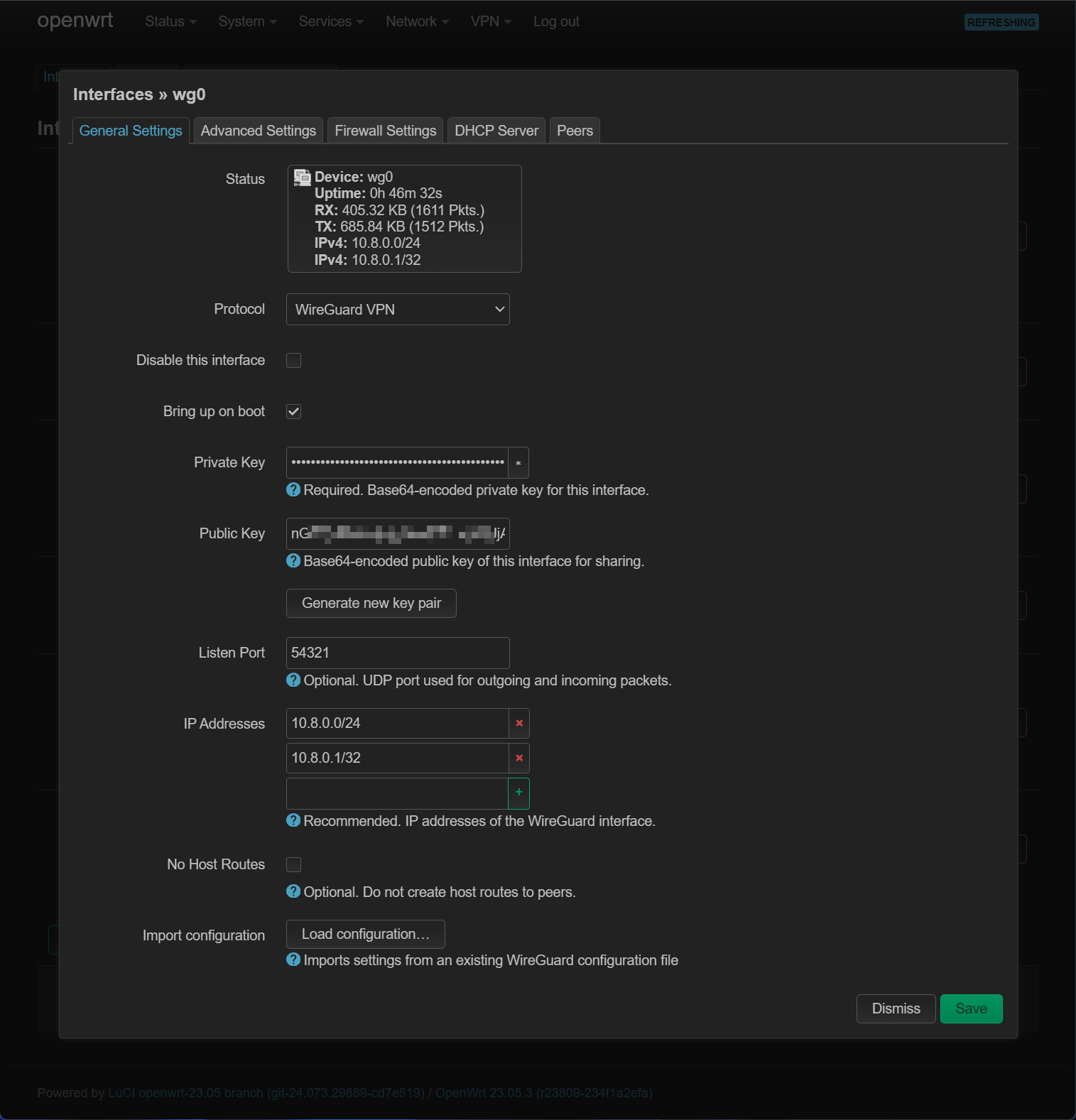
需要点击 Generate new key pair 生成密钥,其中 IP Address 里应该填写 OpenWrt 准备使用的私网 IP 地址(10.8.0.1/32),以及整个 WireGuard 网络的地址(10.8.0.0/24):
在 Firewall Settings 里,新建防火墙区域 vpn 并将其加入该区域:

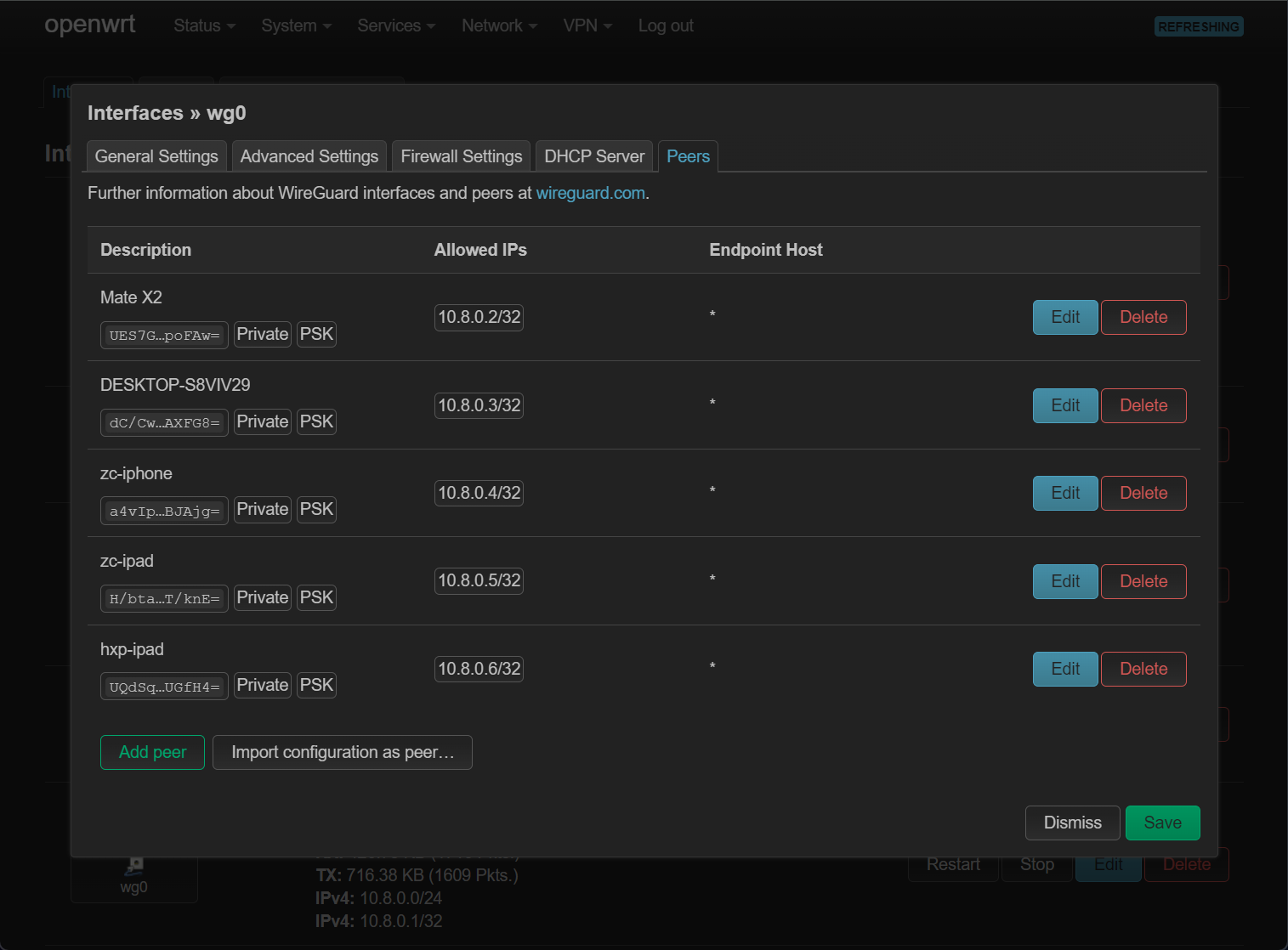
在 Peers 里,设置需要连接到此 WireGuard 服务器的客户端,点击 Add peer 添加客户端:
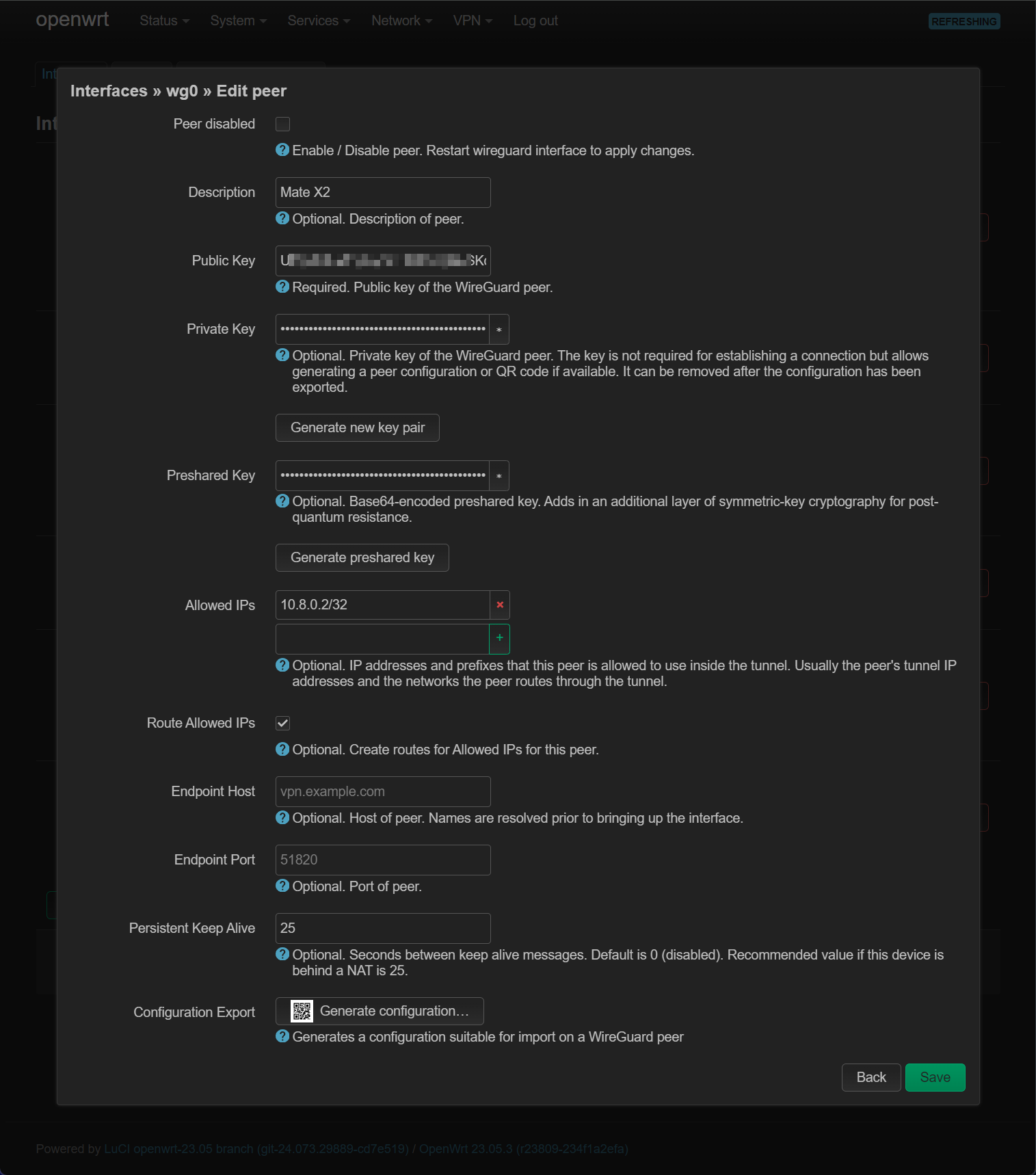
同样需要点击 Generate new key pair 和 Generate preshared key 来生成 2 个密钥,勾选 Route Allowed IPs 并在 Allowed IPs 中填入客户端在 WireGuard 私网的 IP 地址(10.8.0.2/32), Persistens Keep Alive 填写建议值 25 ,之后点击 Generate configuration 获取客户端连接配置:
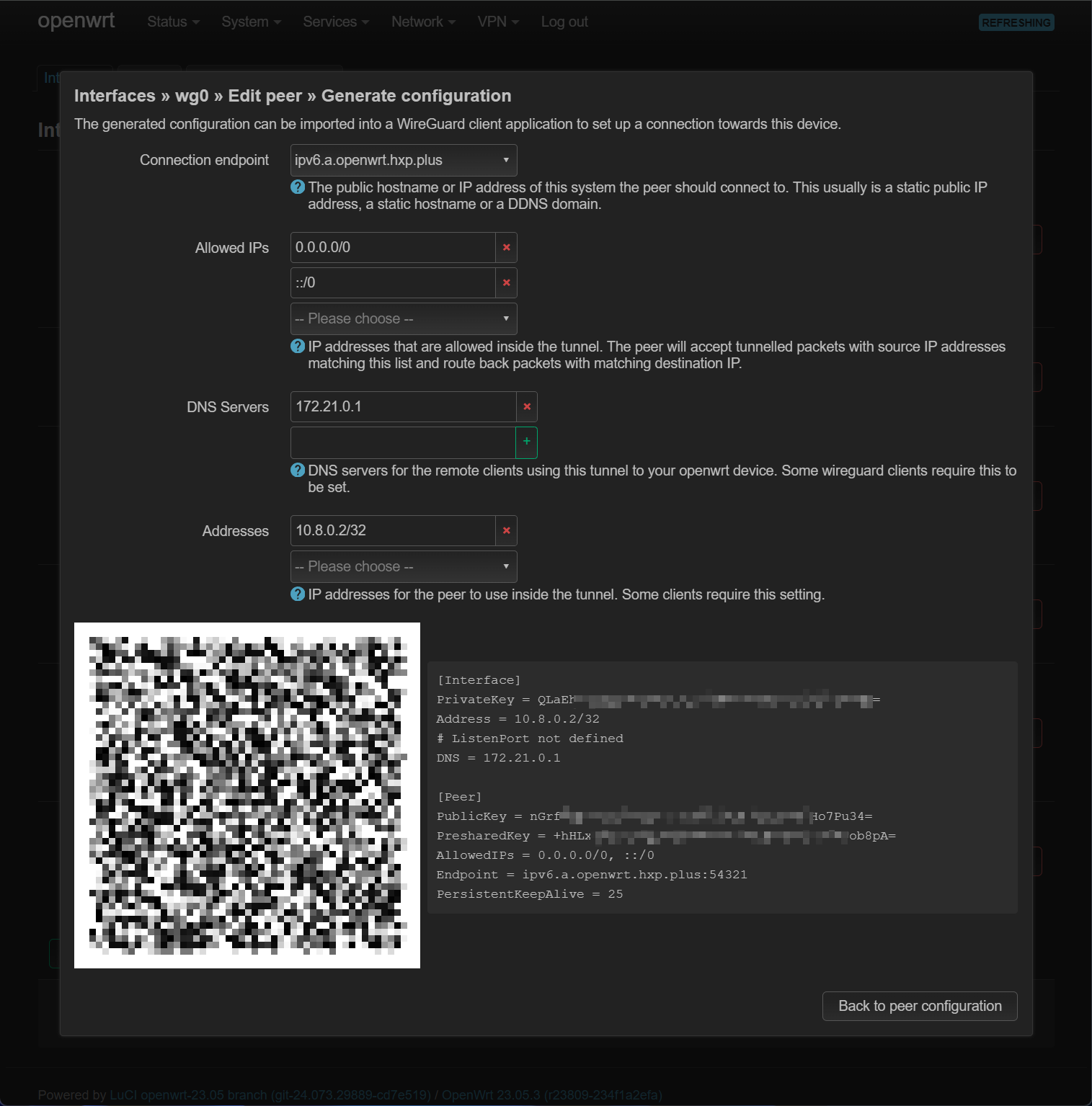
之后保存所有设置,并重启 WireGuard 网卡(每次修改后都需要重启网卡生效)。
4. 查看 WireGuard 配置
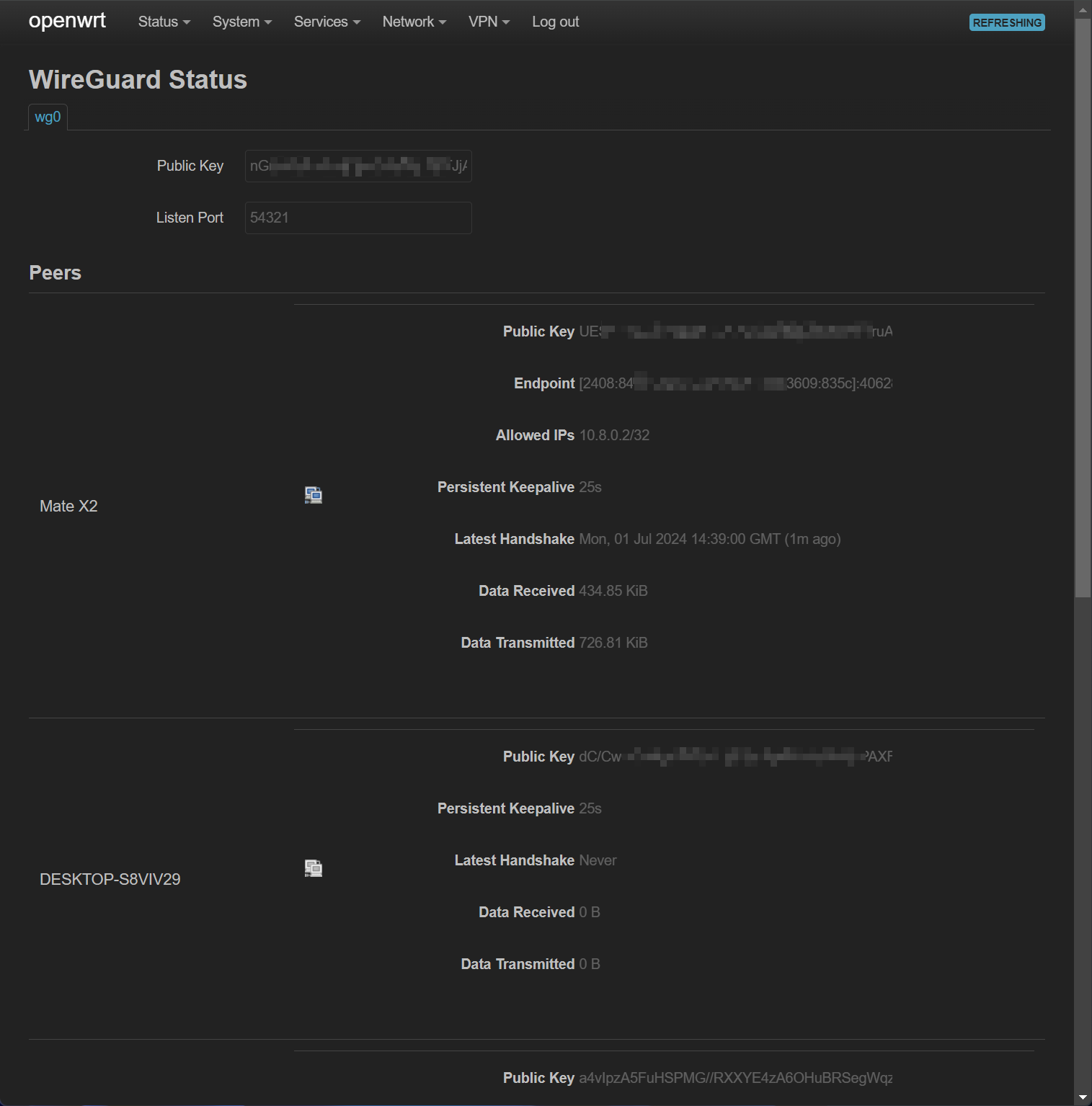
在 Status -> WireGuard 中可以查看 WireGuard 所有客户端的信息:
5. 配置防火墙
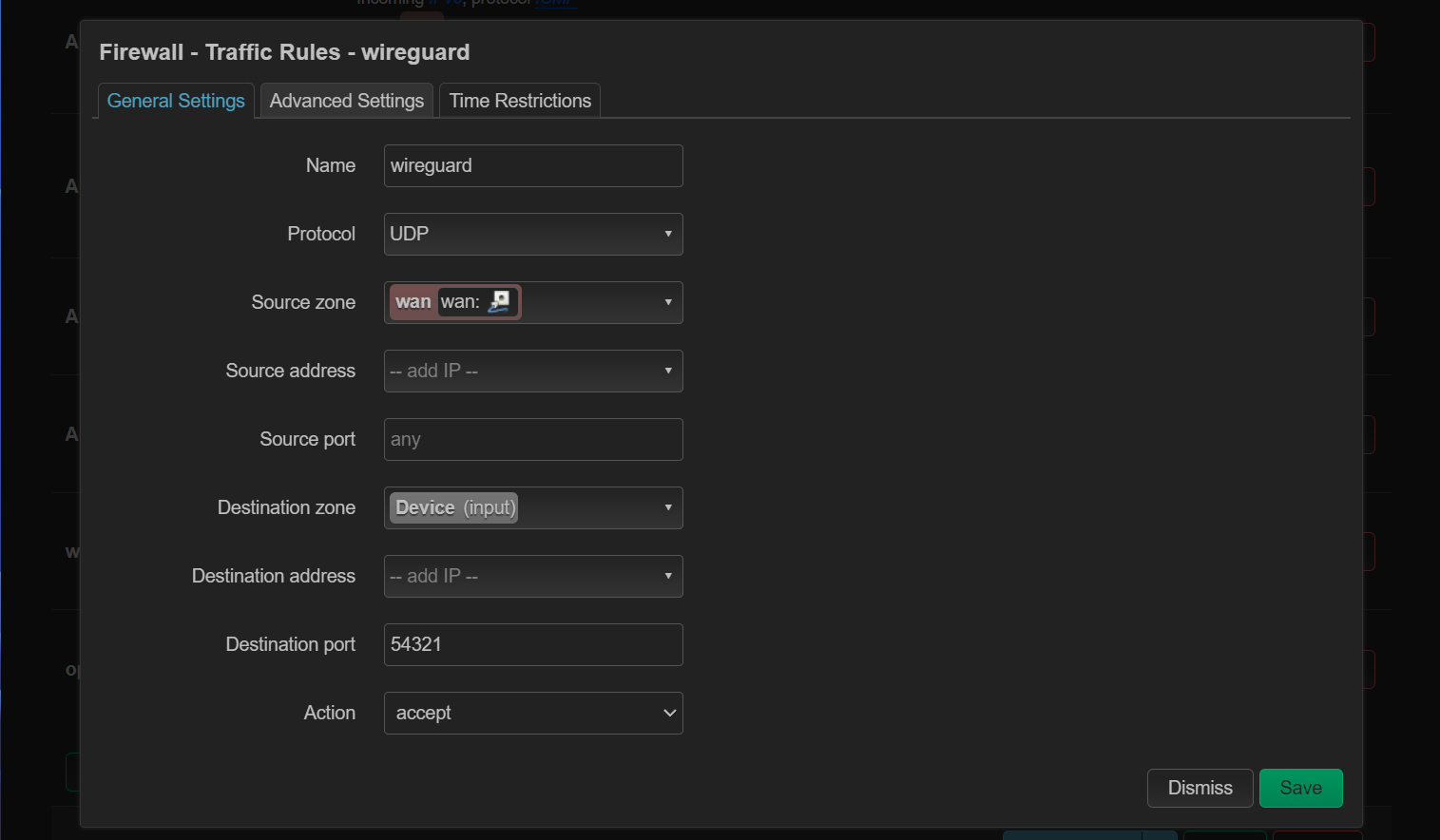
在 Network -> Firewall -> Traffic Rules 中,添加防火墙规则,放行 WireGuard 的端口:
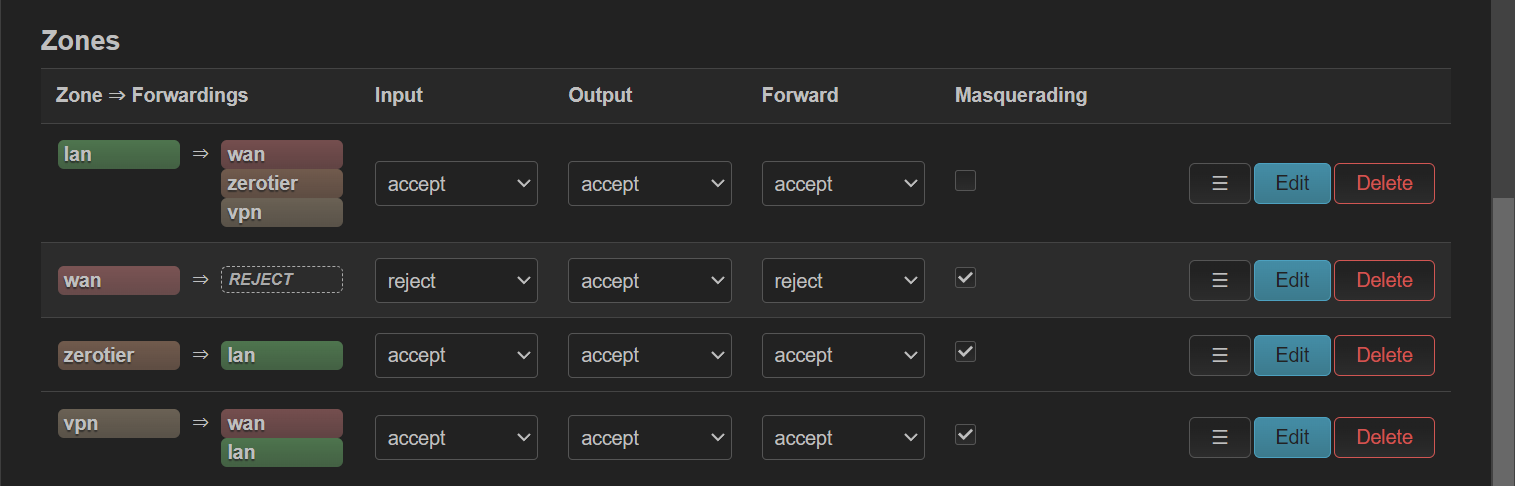
同时,在 Network -> Firewall -> Zones 中,设置 vpn 区域对所有区域可转发,开启 Masquerading ,Input 、 Output 、 Forward 全部 Accept :
6. 使用客户端测试
移动端使用二维码,桌面端直接复制配置文件导入,进行测试。